Mastering Price Drop Notifications: Save Big on Every Purchase

Mastering Price Drop Notifications: Your Ultimate Guide to Smarter Shopping
In today’s fast-paced digital world, online shopping has become an indispensable part of our lives. From everyday essentials to luxury items, almost anything can be purchased with a few clicks. However, with the convenience comes a challenge: how do you ensure you’re getting the best possible deal? Prices fluctuate constantly, and missing out on a significant markdown can feel like a missed opportunity to save. This is where price drop notifications come into play, transforming the way we shop and helping us save an average of $50 per purchase.
Imagine never having to pay full price for an item you’ve been eyeing. Picture a scenario where your desired product’s price dips, and you’re immediately alerted, allowing you to snatch it up at a bargain. This isn’t a fantasy; it’s the reality enabled by effective price drop notifications. This comprehensive guide will delve deep into the world of price tracking, teaching you everything you need to know about setting up and utilizing these powerful tools to become a savvy shopper.
The Power of Price Drop Notifications: Why They Matter
Understanding the value of price drop notifications begins with recognizing the dynamic nature of online pricing. Retailers often adjust prices based on a multitude of factors, including inventory levels, competitor pricing, seasonal sales, promotional events, and even demand. This constant flux means that the price you see today might be significantly different tomorrow or next week. Without a mechanism to track these changes, you’re essentially shopping blind, relying on luck to stumble upon a good deal.
Price drop notifications act as your personal shopping assistant, constantly monitoring the prices of your desired items across various online stores. When a price falls below a certain threshold you’ve set, or simply drops at all, you receive an alert. This proactive approach to shopping offers several undeniable benefits:
- Significant Savings: The most obvious advantage is the potential for substantial savings. By purchasing items when their prices are at their lowest, you can keep more money in your pocket. These savings can add up quickly, especially for big-ticket items or frequent purchases.
- Reduced Buyer’s Remorse: Ever bought something only to see it go on sale a week later? Price drop notifications help eliminate this frustrating experience, ensuring you buy at an opportune moment.
- Time Efficiency: Instead of constantly checking websites manually, which is tedious and time-consuming, you can set up alerts and let the tools do the work for you. This frees up your time for more important activities.
- Strategic Purchasing: Knowing when prices typically drop for certain products or during specific seasons allows you to plan your purchases more strategically, maximizing your savings.
- Access to Exclusive Deals: Some price tracking tools can even alert you to flash sales or limited-time offers that you might otherwise miss.
Consider the average $50 saving per purchase. If you make just a few significant purchases a year, these savings can easily amount to hundreds of dollars. Over time, for a household that frequently shops online, the cumulative savings can be truly remarkable, highlighting why mastering price drop notifications is a critical skill for any modern consumer.
How Price Drop Notifications Work: The Underlying Mechanisms
At its core, the functionality of price drop notifications relies on automated systems that continuously scrape and monitor product pages on e-commerce websites. Here’s a simplified breakdown of the process:
- Product Selection: You identify a product you wish to track. This usually involves either pasting the product URL into a dedicated price tracking tool or adding the item to a watchlist within an app or browser extension.
- Price Monitoring: The tool then periodically visits the specified product page(s) and extracts the current selling price. This process is often automated and can occur multiple times a day, depending on the service.
- Threshold Setting (Optional but Recommended): Many tools allow you to set a desired target price. For instance, you might want to be notified only if a laptop’s price falls below $800, even if its current price is $1000.
- Comparison and Alerting: The monitored price is then compared against previous prices or your set threshold. If a drop is detected (or if the price meets your target), an alert is triggered.
- Notification Delivery: You receive the notification through your preferred channel, which could be email, an in-app notification, a browser pop-up, or even an SMS message.
The sophistication of these tools varies. Some are basic, offering simple price change alerts, while others provide historical price data, predicted price movements, and even comparison across multiple retailers. Understanding these mechanisms helps you choose the right tool for your specific needs and leverage price drop notifications to their fullest potential.
Choosing the Right Price Tracking Tool: A Comprehensive Overview
The market is saturated with various tools designed to help you track prices and receive price drop notifications. Each comes with its own set of features, advantages, and disadvantages. Here’s a look at some popular categories and specific examples:
Browser Extensions
These are perhaps the most convenient option, integrating directly into your web browser. They typically add a button to your toolbar that allows you to track products directly from their page.
- Honey: While primarily known for coupon codes, Honey also offers a ‘Droplist’ feature. You can add items to your Droplist, and Honey will notify you of price drops. It’s user-friendly and integrates with many popular retailers.
- CamelCamelCamel: A must-have for Amazon shoppers. This extension (and website) provides extensive historical price data for millions of Amazon products, allowing you to see price trends and set up alerts for specific items. It’s incredibly detailed and highly reliable for Amazon.
- Keepa: Another powerful Amazon-specific tool, similar to CamelCamelCamel but often preferred for its more detailed historical charts and advanced filtering options.
- InvisibleHand: This extension automatically compares prices across different retailers while you’re browsing, alerting you if a better deal is available elsewhere. While not strictly a ‘price drop notification’ tool, it serves a similar purpose of finding the best price.
Dedicated Websites and Apps
These platforms often offer broader coverage across multiple retailers and more advanced features.
- PriceGrabber: A long-standing price comparison website that also offers email alerts for price drops on specific products. It covers a wide range of categories and retailers.
- ShopSavvy: A mobile app that allows you to scan barcodes in physical stores to compare prices online, and also track products for price drops. Useful for both in-store and online shopping.
- Slickdeals/DealNews: While not direct price trackers in the traditional sense, these deal aggregation websites often feature community-reported price drops and sales. You can set up keyword alerts to be notified when a product you’re interested in is posted.
- Google Shopping: Google’s own shopping platform allows you to track products and receive email alerts when prices change. It leverages Google’s vast indexing capabilities to cover a wide array of online stores.
Retailer-Specific Tools
Some major retailers offer their own price tracking or notification services directly on their platforms.
- Amazon Wish List: While not a direct price drop notification, items added to your Amazon Wish List often trigger email alerts if their price changes significantly.
- eBay Watchlist: Similar to Amazon, adding items to your eBay Watchlist can sometimes lead to notifications about price reductions from sellers.
When selecting a tool for price drop notifications, consider the following:
- Retailer Coverage: Does it track prices on the stores you frequent most?
- Notification Methods: Do you prefer email, in-app, or browser alerts?
- Ease of Use: How intuitive is the interface for setting up and managing alerts?
- Historical Data: Does it provide price history charts, which can be invaluable for understanding typical price cycles?
- Additional Features: Does it offer coupon integration, price comparison across multiple stores, or predictive analytics?
Step-by-Step Guide: Setting Up Your First Price Drop Notification
Now that you understand the ‘why’ and ‘what’ of price drop notifications, let’s get into the ‘how’. The exact steps will vary slightly depending on the tool you choose, but the general process remains consistent. We’ll use a generic example to illustrate the common steps:
Step 1: Identify Your Desired Product
Before you can track a price, you need a specific item in mind. Browse your favorite online stores, find the product you want, and copy its URL. This is crucial for the tracking tool to know exactly what to monitor.
Step 2: Choose Your Price Tracking Tool
Based on the overview above, select the tool that best fits your needs. For Amazon, CamelCamelCamel or Keepa are excellent choices. For general retail, browser extensions like Honey or dedicated websites like PriceGrabber are good starting points.
Step 3: Add the Product to Your Watchlist/Tracker
For Browser Extensions (e.g., Honey, CamelCamelCamel):
- Navigate to the product page on the retailer’s website (e.g., Amazon.com).
- Click on the extension icon in your browser toolbar.
- Look for an option like ‘Add to Droplist,’ ‘Track Product,’ or ‘Set Price Alert.’
- Follow the prompts, which usually involve confirming the product and setting your desired notification preferences.
For Dedicated Websites/Apps (e.g., PriceGrabber, ShopSavvy):
- Go to the website or open the app.
- Look for a search bar or a ‘Track Product’ feature.
- Paste the product URL you copied earlier, or search for the product by name.
- Once the product is found, select the option to set a price alert or add it to your watchlist.
Step 4: Configure Your Notification Settings
This is a critical step to ensure you receive alerts exactly how and when you want them.
- Target Price: Most tools allow you to set a specific target price. For example, if a gaming console is $499, you might set your target at $399. You’ll only be notified if the price drops to or below this amount.
- Percentage Drop: Some tools let you specify a percentage drop (e.g., notify me if the price drops by 10% or more).
- Any Price Drop: If you want to be notified of even the smallest price reduction, select this option.
- Notification Method: Choose how you want to receive alerts – email, in-app notification, browser push notification, etc.
- Frequency: Decide how often you want to be checked for price changes (e.g., daily, hourly, instant).
Step 5: Monitor and Act
Once your price drop notifications are set up, the tool will do the heavy lifting. When a price drop occurs that matches your criteria, you’ll receive an alert. Act quickly, as some deals are time-sensitive or have limited stock. Always double-check the price on the retailer’s website before making a purchase to ensure the deal is still active.
By following these steps, you can effectively harness the power of price drop notifications to make informed and budget-friendly purchasing decisions.
Advanced Strategies for Maximizing Your Savings with Price Drop Notifications
While simply setting up price drop notifications is a great start, there are advanced strategies you can employ to amplify your savings and become a true smart shopping expert.
1. Utilize Historical Price Data
Tools like CamelCamelCamel and Keepa provide extensive historical price charts. Don’t just set an arbitrary target price. Analyze the historical data to understand typical price cycles for the product you want. Has it dropped to a certain low point regularly? Is its current price historically high or low? This insight can help you set a realistic and effective target price, avoiding the frustration of waiting for an unrealistic drop.
2. Combine with Coupon Codes and Cash Back
Price drop notifications are powerful, but they become even more potent when combined with other saving strategies. Once you receive a notification for a price drop, before completing your purchase, check for:
- Coupon Codes: Use browser extensions like Honey or search coupon sites for additional discounts.
- Cash Back Programs: Websites like Rakuten (formerly Ebates) or TopCashback offer a percentage of your purchase back when you shop through their portals.
- Credit Card Rewards: Use a credit card that offers cash back or points on online purchases.
A price drop combined with a coupon and cash back can lead to truly exceptional savings.
3. Track Across Multiple Retailers
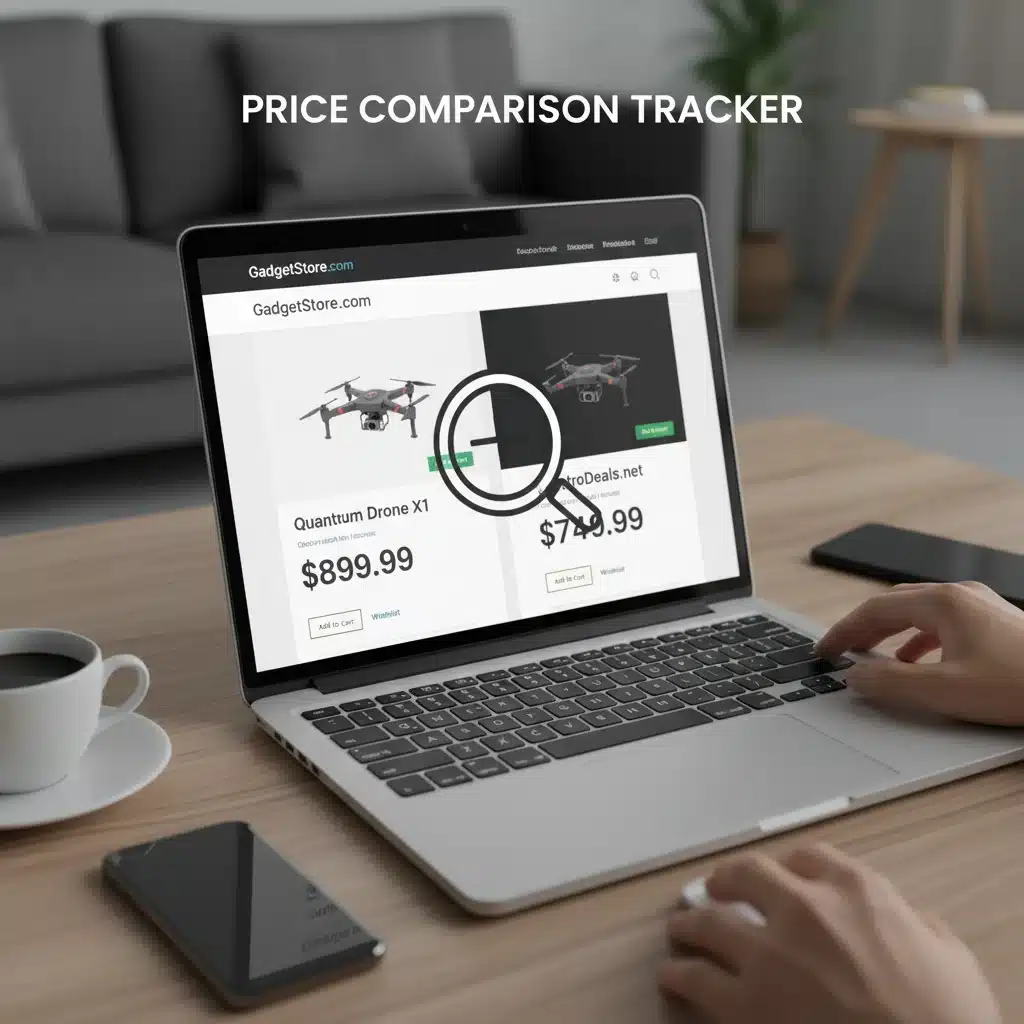
Don’t limit yourself to tracking a product on just one website. Prices can vary significantly between different retailers. Use tools that allow you to track the same product across multiple stores. This ensures you’re alerted to the lowest price, regardless of which retailer offers it.
4. Be Patient and Strategic
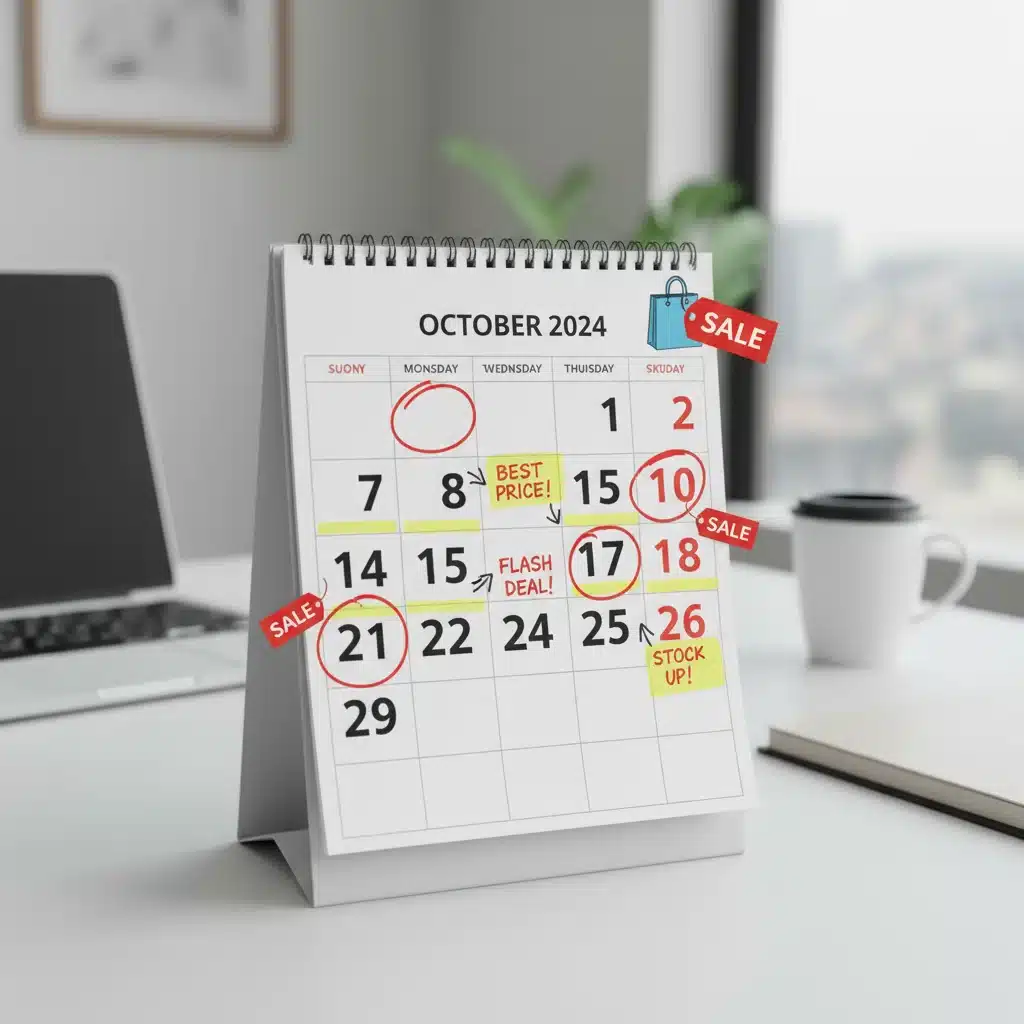
Sometimes, the best deals come to those who wait. If you’re not in urgent need of an item, set a lower target price and be patient. Big sales events like Black Friday, Cyber Monday, Amazon Prime Day, or end-of-season clearances are prime times for significant price drops. Setting up price drop notifications well in advance of these events can give you a significant advantage.
5. Set Up Alerts for Related Products
If you’re looking for a specific type of item (e.g., noise-canceling headphones), but aren’t fixated on a single brand or model, consider setting up alerts for several similar products. This increases your chances of catching a great deal on a comparable item.
6. Understand Price Matching Policies
Some retailers offer price matching. If you receive a price drop notification from a competitor, check if your preferred retailer will match that price. This can save you the hassle of ordering from a new store and potentially combine the best price with your preferred shopping experience.
Common Pitfalls and How to Avoid Them
While price drop notifications are incredibly useful, there are a few common mistakes that can diminish their effectiveness or lead to frustration. Being aware of these can help you maximize your savings.
1. Setting Unrealistic Target Prices
Hoping for a 90% discount on a brand-new, in-demand product is usually unrealistic. This will lead to you waiting indefinitely and potentially missing out on perfectly good deals. Use historical price data to set achievable target prices.
2. Ignoring Notification Overload
If you track too many items or set your notifications to be too frequent for non-essential items, you might find your inbox or phone overwhelmed with alerts. This can lead to alert fatigue, causing you to ignore important notifications. Be selective with what you track and adjust notification frequency as needed.
3. Not Acting Quickly Enough
Some deals, especially flash sales or limited-stock items, are highly time-sensitive. If you receive a price drop notification for a fantastic deal, don’t procrastinate. By the time you get around to checking, the item might be out of stock or the price might have reverted.
4. Forgetting to Update Alerts
If you’ve purchased an item or are no longer interested in it, remember to remove it from your tracking list. Cluttering your alerts with irrelevant items can make managing your notifications difficult.
5. Overlooking Shipping Costs and Return Policies
A lower price from one retailer might be offset by higher shipping costs, or a less favorable return policy. Always factor in these additional considerations before making a purchase, even if you receive a price drop notification.
6. Relying Solely on One Tool
Different tools specialize in different retailers or offer unique features. Using a combination of tools (e.g., CamelCamelCamel for Amazon, and Honey for general retail) can give you a more comprehensive tracking strategy.
The Future of Smart Shopping: Beyond Basic Price Alerts
The landscape of online shopping and saving is constantly evolving. While current price drop notifications are incredibly effective, future advancements promise even more sophisticated ways to save.
- AI-Powered Predictive Pricing: Imagine tools that not only track current prices but also predict future price movements with high accuracy, advising you on the optimal time to buy. Some tools are already starting to incorporate this.
- Personalized Deal Aggregation: AI could learn your shopping habits and preferences, proactively finding deals on items you’re likely to want, even if you haven’t explicitly tracked them.
- Voice-Activated Shopping Assistants: Integration with smart home devices could allow you to simply ask, "Alexa, has the price of that new drone dropped?" and receive an instant update.
- Blockchain for Price Transparency: While speculative, blockchain technology could potentially offer immutable price histories, ensuring complete transparency and preventing retailers from manipulating historical data.
These future innovations will undoubtedly make price drop notifications even more powerful, further empowering consumers to make smarter, more economical purchasing decisions.
Conclusion: Embrace the Savings with Price Drop Notifications
In conclusion, mastering price drop notifications is not just about saving a few dollars here and there; it’s about fundamentally changing your approach to online shopping. It transforms you from a passive consumer into an active, strategic shopper who is always in control of their budget. With an average saving of $50 per purchase, the cumulative financial benefits are undeniable and can significantly impact your personal finances.
By understanding how these tools work, selecting the right ones for your needs, and implementing advanced strategies, you can consistently secure the best deals on the products you desire. Don’t let fluctuating prices dictate your spending. Take charge, set up your price drop notifications today, and embark on a journey of smarter, more economical shopping. Your wallet will thank you.